
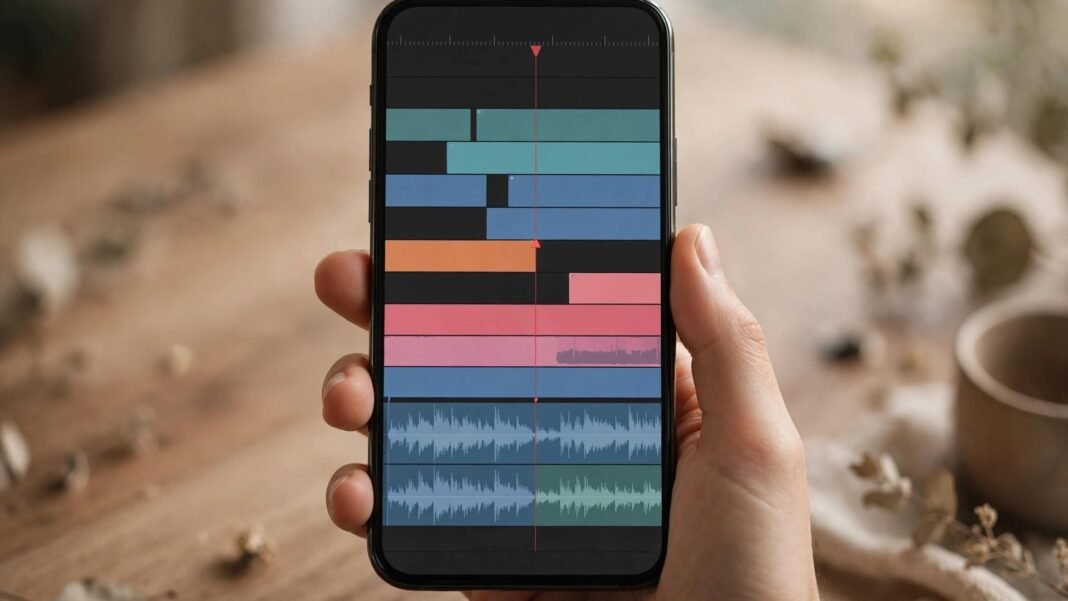
Every Reel, YouTube Short, and wedding video in India seems to be edited on a phone these days — but nothing ruins a good edit like a giant watermark stamped across it. The Play Store is full of “free” video editors that slap their logo on your export and demand payment to remove it. This 2026 guide ranks the 7 best free video editing apps for Android in India by what actually matters: whether the free version exports without a watermark, how powerful the editor is, and whether it works on budget phones.
One important India-specific note upfront: CapCut, the world’s most popular free editor, was removed from the Indian Play Store in 2020 and remains unavailable for direct download in India. You will see it mentioned below with workarounds, but the apps ranked at the top are all properly available in India — no VPN or risky APK sites needed.
1. VN Video Editor — Best Overall, Truly Free
VN is the rare app that is genuinely free with no watermark, no ads, and no subscription pressure. You get a multi-track timeline, 4K export at up to 60fps, curve-based speed ramping, keyframe animation, chroma key, and automatic beat detection for music sync — features that rival desktop editors. The interface takes an hour to learn, but the built-in tutorials are excellent. For YouTubers, wedding videographers, and serious Reels creators in India, VN is the default recommendation: professional output, zero cost, zero watermark. It runs well even on mid-range phones with 4–6 GB RAM.
2. YouCut — Best for Beginners and Budget Phones
Made by the same developer as InShot, YouCut is the lightest serious editor on this list (around 50 MB) and exports with no watermark on the free tier. Trimming, splitting, speed control, filters, text, stickers, and background music are all one tap away, and it supports 4K export. The free version shows occasional ads and locks a few premium filters behind ad-watches, but the core editing is completely free. If your phone has 3–4 GB RAM and stutters in heavier apps, YouCut is the one that will actually run smoothly.
3. Node Video — Best for Motion Graphics and Effects
Node Video is a hidden gem: a free, no-watermark editor built around keyframe animation and visual effects. Think moving text, 3D camera moves, particle effects, and motion tracking — the kind of flashy edits that go viral on Reels. The learning curve is steeper than VN or YouCut, but for creators who want their videos to look expensive without paying for Alight Motion’s subscription, Node Video is unmatched. It is completely free with no export watermark.
4. InShot — Easiest for Quick Social Edits
InShot is the simplest editor here — most people learn it in five minutes. It is perfect for quick crops, trimming, adding music, and making 9:16 Reels from landscape footage. The catch: the free version adds a small watermark, but you can remove it per-export by watching a short ad (tap the X on the watermark before exporting). That is a fair trade for casual use. InShot also includes a decent photo editor, which is handy for thumbnails. Just do not expect multi-track timelines or advanced effects.
5. VLLO — Best Templates and Stickers for Reels
VLLO is built for the Reels and Shorts crowd: hundreds of trendy templates, animated stickers, and text presets that make videos look current with minimal effort. The free version requires watching a short ad before exporting to remove the watermark — slightly annoying, but the export itself is clean and supports high resolutions. If you post daily short-form content and want speed over depth, VLLO’s template library saves enormous time.
6. KineMaster — Most Powerful (With a Catch)
KineMaster offers the most desktop-like control of any mobile editor: unlimited layers, precise keyframing, blending modes, and a huge asset store. The catch is the watermark: free exports carry the KineMaster logo, and removing it requires a paid subscription (roughly ₹300/month or ₹2,500/year in India). It earns its place on this list because the free version is fully functional for learning — and if you ever decide video editing is worth paying for, KineMaster is where many Indian creators land. But for strictly free, watermark-free work, VN and YouCut beat it.
7. CapCut — Powerful but Complicated in India
CapCut deserves an honest mention: it has the best AI tools of any free editor (auto-captions, background removal, beat sync) and its exports are watermark-free once you toggle off the ending watermark in export settings. The problem is availability — it is
Best Free Video Editing Apps: Key Takeaways
Choosing from the best free video editing apps depends on your needs: VN is the best free video editing apps choice for watermark-free editing, YouCut is the best free video editing apps pick for beginners, and Node Video leads the best free video editing apps for effects. The best free video editing apps all export without watermarks, but check each app’s policy before starting a big project. Remember that the best free video editing apps work best when you match export settings to your footage. For more tech guides, visit our homepage.
not on the Indian Play Store, so Indian users must sideload the APK from third-party sites, which carries malware risk and means no automatic updates. Given that VN matches most of CapCut’s core editing for free with zero hassle, most Indian creators are better
Need more than video editors? Browse our free online tools for other everyday tasks.
off skipping the sideload gamble.
Export Settings That Matter More Than the App
Whichever app you pick, your export settings decide the final quality. For Instagram Reels, YouTube Shorts, and WhatsApp status, export at 1080×1920 (9:16), 30fps, with the highest bitrate the app offers — this keeps text sharp and avoids the mushy compression these platforms add on upload. For YouTube proper, use 1920×1080 or 4K if your phone shot in 4K. A common mistake is exporting at 720p to save time; the file is smaller, but YouTube and Instagram will compress it again, and the result looks noticeably soft on modern phone screens.
Also match your export frame rate to your footage. If you shot at 30fps, export at 30fps — exporting 30fps footage at 60fps just doubles the file size with zero visual benefit. And if your phone heats up or the export fails midway, close all background apps, plug in the charger, and try again: video encoding is the heaviest task a phone does, and budget devices often need a cool, undisturbed run to finish a long export.
A Note on Music: Avoid Copyright Strikes
Every app on this list ships with a built-in music library, but that music is usually licensed only for personal use — uploading a video with it to YouTube can still trigger a copyright claim. For monetised content, use YouTube’s own Audio Library (free, in YouTube Studio), or royalty-free sources, and keep the licence proof. This one habit separates hobby creators from creators who actually earn.
How to Choose the Best Free Video Editing Apps for Your Phone
Pick based on your actual need, not the longest feature list. Making YouTube videos or client work where quality matters? VN. Quick Reels on a budget phone? YouCut. Viral-style motion graphics? Node Video. Fastest possible casual edits? InShot. Daily template-driven Shorts? VLLO. Willing to pay later for maximum control? KineMaster. And whatever you choose, download only from the Google Play Store — APK sites promising “premium unlocked” versions of these apps are a top source of malware on Indian phones.
One last tip: before exporting your final video, play it back fully in a solid player like VLC for Android or MX Player. Editor previews sometimes hide dropped frames or audio drift, and catching it before you upload saves you from deleting and re-uploading — which costs you reach on every platform.
Sources: App feature and watermark policies verified against Google Play Store listings; 2026 comparison data from clixie.ai and filmora.wondershare.com.
Frequently Asked Questions
Is CapCut available in India?
No — CapCut was removed from the Indian Play Store in 2020. Sideloading its APK from third-party sites risks malware, so Indian users are better off with VN or YouCut.
Does InShot add a watermark to videos?
The free version does, but you can remove it on each export by watching a short ad (tap the X on the watermark before exporting).
Which editor works best on a budget phone with 4GB RAM?
YouCut — it is around 50 MB, built for low-end devices, and still exports watermark-free. VN also runs acceptably on most mid-range phones.
Can I monetise YouTube videos edited in these free apps?
Yes, the editors themselves are fine for monetised content. Just use royalty-free music (like YouTube's Audio Library), since built-in tracks can trigger copyright claims.